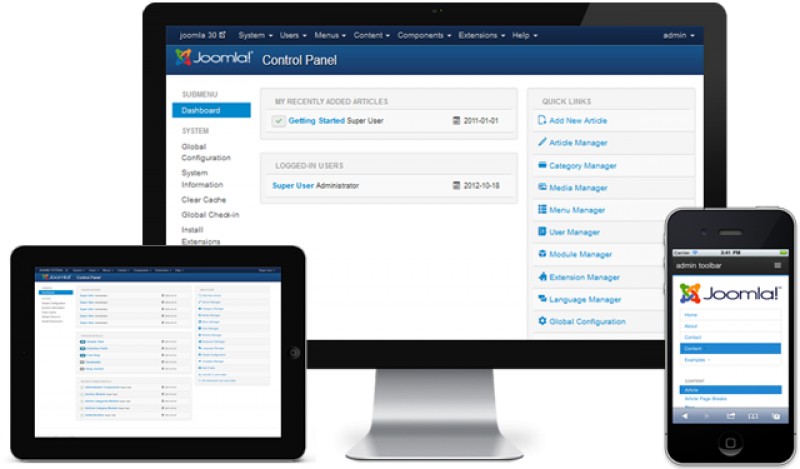
Since Joomla! 2.5 we are all equipped with previously missing key functionality in the core. I am talking about ACL, one-click upgrade, multilingual support, multiple database drivers and much more. By having all these features along with a robust framework in place we are ready to build advanced wed portals and integrate Joomla with additional open-source or commercial software and data sources.
A while back I came across a video on streamlined inline editing in Drupal 8, and while I was impressed with a lot of what they've done, I noticed that the new interface seems to be somewhat less functional. This got me to thinking about my frustration with the administration interface for Joomla 3.0, which inspired a post on my Toronto Joomla blog An Argument for Complex User Interfaces.
This is the second article in a four-part series, based in my presentation at the 2012 Joomla! World Conference in San Jose.
Give your e-Commerce fashion website some style and panache with these VirtueMart templates...
Desde 2005 utilizando a ferramenta e acompanhando o crescimento dos usuários (comunidade) do CMS Joomla, no Brasil, resolvi obter um panorama da "indústria joomleira" a partir do convite recebido para atuar como curador da Sala 3 – Conteúdo, SEO e Mídias Sociais no Joomla! Day Brasil 2012 (JDBR12). Realizei uma pesquisa exploratória e semi-estruturada para identificar o cenário tupiniquim em torno da ferramenta. Até então não existia qualquer dado que pudesse revelar o perfil dos usuários e/ou nortear estratégias mercadológicas.
This is the first article in a four-part series, based on my presentation at the Joomla World Conference. We've all been there. You deliver that shiny new website to your client; they are excited to have this new outreach on the Internet; and you're ready to get that final payment when they ask you the question: "So, how do I change this word here?” While the wording may differ from client to client, the underlying question remains the same: “How do I keep my site up to date?” At that point, you probably realize once again that your least favorite task in web design and working with clients is something that once again you have forgotten to finish: documentation.
Maintaining a secure web site is a top concern for many people. Everyone is looking for the one way to make sure their site is always running, safe, and secure. When someone expresses concern about the security of their site, I usually ask them how old their most recent backup is. Most don't know, or don't have any backup at all.
In 2013 there will be more mobile devices capable of accessing the web than there will be computers. How do you present your Joomla! website to your users accessing it from their mobile devices? A Mobile website is a website which has been optimized to work in a mobile browser. Using a mobile phone web browser one can directly access these websites. Mobile devices have unpredictable screen sizes and the speed of the internet connection can be low. The loading of images can take longer. This article will describe different approaches to mobilizing your Joomla! website.
So, let me start by saying I wasn’t a Joomla Guy. I was a web application guy that was used to using frameworks like Codeigniter and Ruby on Rails. I met the guys at Cont3nt.com who were building a really exciting service for freelance journalists. I asked them what they were writing it in and they said “Joomla.” My first reaction was, “Really?”
By accepting you will be accessing a service provided by a third-party external to https://magazine.joomla.org/