As a technical writer, I think Opensource Matters is missing an important marketing opportunity by not targeting Joomla! at the professional writing community. By "professional writing community," I don't mean novelists, poets, or publishing company editors (though, Joomla! would be great for them too) - I mean professional writers in the corporate world: technical writers, instructional designers, and marketing personnel. While the professional writing community is a smaller, more-niche market than the corporate CMS market and the software development community, I have thought for some time that Joomla! could be the next "killer app" for professional writers.
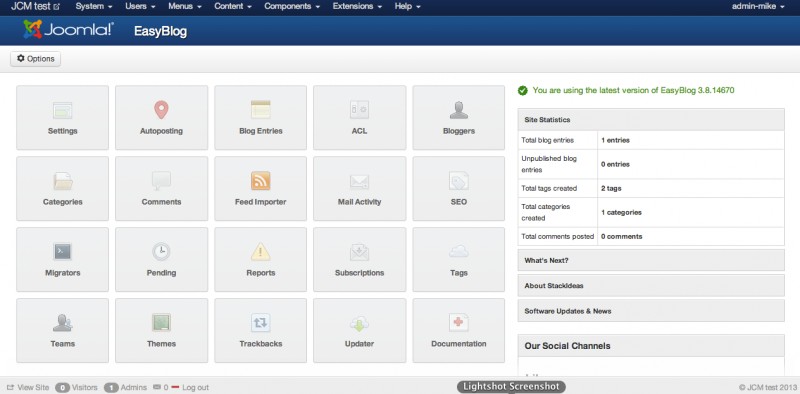
I sometimes come across Joomla sites that are built only for blogging. There are a lot of possibilities: you can use Joomla native , K2, and all sorts of CCKs. Today I decided to test an extension from the community choice extensions poll from several months back. Let's put EasyBlog from Stackideas on the bench...
Tra le tante nuove funzionalità rilasciate con la versione 3.2 di Joomla!, forse una delle meno pubblicizzate ma sicuramente molto utile per amministratori ed interessante per gli sviluppatori, è la cosidetta "post-installation messages", informa l'amministratore del sito circa l'avvenuta installazione di estensioni e funzionalità che richiedono la sua attenzione, vediamo nel dettaglio le sue caratteristiche e come usarlo.
It is known that the text editor in Joomla allows special configurations needed to incorporate content in the code. There are times when I do not want to change these settings to keep some order on our website for the authors, but nevertheless we would like to add modules with PHP or XHTML code, as in the case of widgets. The subject of this article, by way of tutorial, is to explain how to enter Javascript, PHP, HTML or CSS code in modules without relying on the editor you have installed (JCE, TinyMCE, FCK, etc..). As an example, I will illustrate how to add a Twitter widget to your website.
Dans un projet internet, le choix de la plateforme qui va supporter le site web est très importante. Les chefs de projets se demandent souvent quel CMS utiliser, parfois ils s'arrêtent sur Joomla parce qu'ils en ont entendu (ou lu) du bien. La question vient inéluctablement : Pourquoi utiliser joomla plutôt que wordpress ou drupal ? Les trois CMS ont leurs particularité, et aucun n'est supérieur à l'autre (je dirais qu'ils sont tous complémentaire).
Alors, pourquoi donc choisir Joomla ???
(L'article qui va suivre, n'est nullement un comparatif entre trois CMS.)
Google Summer of Code has come to an end and it was an interesting experience for me at Joomla! My project was about implementing cloud storage support for Amazon Simple Storage Service, Rackspace and Google Cloud Storage.
With Joomla’s 8th anniversary there was lots to celebrate. Quite some milestones have been achieved. But instead of taking the time to celebrate there is lots of work yet to be done in order to achieve our next milestones!
To SEO or not to SEO, that is the question! There is a wide variety of views on the topic, whether it is necessary to use specific extensions that improve SEO positioning, if it is a good idea to employ people to help with this and to create strategies etc….or, whether that doing all of this won’t pay off as you are forced to change strategy each time Google makes changes to their SEO policy...
This is Step 2 in the Rebuilding Our Site series. We had to upgrade from Joomla 1.5 to 2.5. This entry discusses the tools and tactics we considered when upgrading to a newer version of Joomla.
By accepting you will be accessing a service provided by a third-party external to https://magazine.joomla.org/