 Community Magazine
As elements are added to a stylesheet, keeping colours consistent throughout a project can be tricky. CSS functions are available to speed creation of colour variations and quickly implement changes when needed.
2124 Hits

As elements are added to a stylesheet, keeping colours consistent throughout a project can be tricky. CSS functions are available to speed creation of colour variations and quickly implement changes when needed.

If your website (or your client’s website) features blogs or articles by multiple authors, you may want to have author pages showing their bio and links to the articles they’ve written. Here’s how to do that with Joomla’s core contact component.

If you’re passionate about Joomla! and looking for new ways to engage the community or grow your personal brand, podcasting might be your next big step.
In this article I will show you how to modify the blog layout and the articles module in Cassiopeia (or any other template that is using the core views) without overrides, just by applying CSS grid layout.
As many of you have heard, PHP 7 became End of Life last month, on November 28th. You probably also heard that this is terrible news for the security of your site and / or that upgrading your site to PHP 8 is a dreary task. While neither affirmation is the absolute truth, there are always a few kernels of truth in every plausible lie. Let's see what the end of PHP 7's service life means for your site and what you can do about it in pragmatic, practical terms.

With Joomla's built-in powerhouse template, also known as Cassiopeia, you can do so much more than you’d think. In this tutorial we’ll create a slim and stylish header with just CSS!
So you created your own Joomla extension, maybe for a client, maybe for general usage, and now you're wondering how to best manage it for the future. You will have to handle bugfixes, store it somehow, create releases and maybe improve it with new features. So how could we do this? There are several ways you can do this, but today I'd like to show you the one possible solution that works good for me.
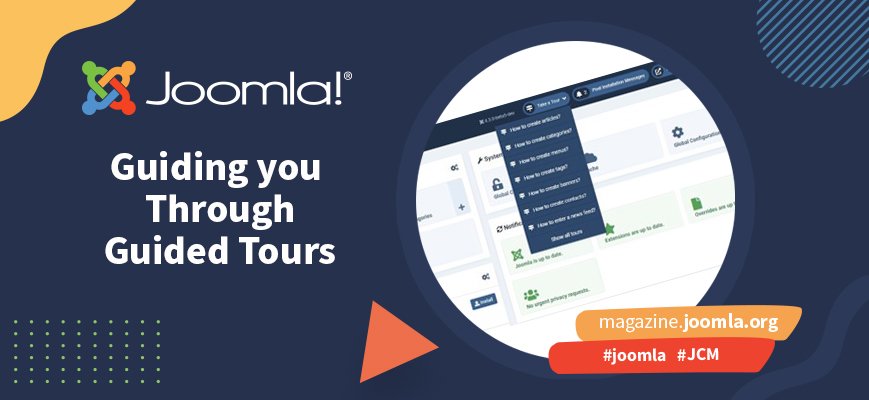
Whenever Joomla gets picked as a Google Summer of Code (GSoC) candidate there is a flurry of activity around several projects. In 2022 one of the projects put forward was Guided Tours. This is a project that has been tackled by several students over several years and each one has nudged closer to the finishing line, but never quite got there. That's why it's especially gratifying to see Guided Tours as the main feature of the Joomla 4.3 release. It's the culmination of a lot of teamwork and a great example of what can be achieved if you just keep at it.
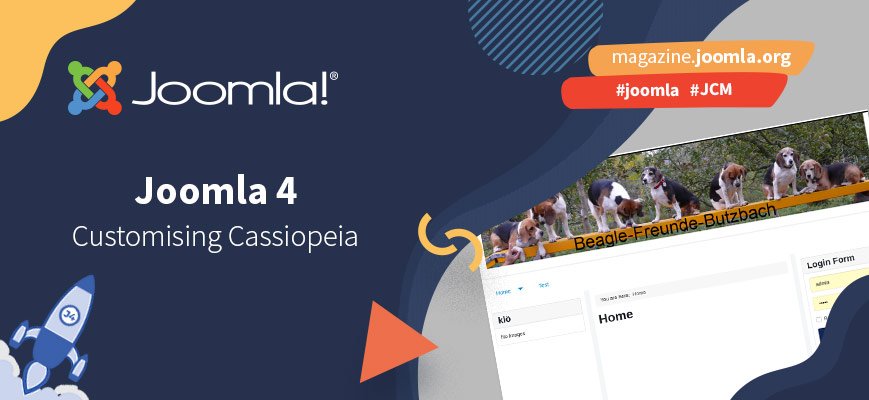
You don't have a logo and there is no text that fits instead of the logo on your website. Instead, you want to display a banner at the top of your Joomla website. Your menu should appear under this banner. The logo or the alternative text should not be visible at all. You would prefer your website to look exactly as you created it using Joomla 3 and Protostar. How can this be done with Cassiopeia?

With the Joomla community moving from Glip (RingCentral) to Mattermost it's worth getting to know this chat tool and exploring how to make the best use of it with Joomla and the community in mind.
By accepting you will be accessing a service provided by a third-party external to https://magazine.joomla.org/
