 Community Magazine
The 404 That Could: Why Your Joomla Site Deserves a Brilliant Error Page
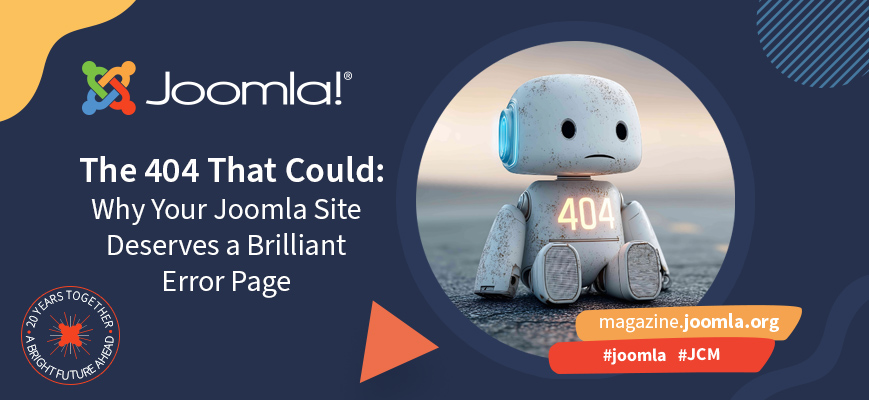
We’ve all been there, clicking a link full of promise, only to land face-first in the dreaded “404 Not Found.” It’s like opening a door and finding a brick wall. For your visitors, it’s a frustrating dead end. For you, the site owner, it’s an opportunity.
A great 404 page is your site’s safety net. It catches visitors when things go wrong and gently guides them back to safety. A well-designed one can keep users engaged, protect your brand, and even give your site a little extra charm. On a Joomla site, that “Oops!” moment can be transformed into an experience that’s memorable.
Why 404 Pages Matter More Than You Think
Without a custom 404 page, visitors see a cold, technical error message that screams, “This site doesn’t care.” But with a little effort, you can turn that dead end into a friendly detour.
- Keeps users engaged — by offering helpful links, a search box, and navigation.
- Protects your credibility — by staying on-brand and on-style.
- Improves SEO — with fewer bounces and more time on site.
- Adds personality — a touch of humour can make a mistake feel human.
Think of your 404 page as a brand ambassador in an awkward situation. If it handles things gracefully — perhaps with a bit of humour — people remember.
How to Create a Custom 404 Page in Joomla
Luckily, Joomla makes it easy to craft your own stylish, functional error page. As of Joomla 5, the default Cassiopeia template includes built-in support for customising your 404 and 403 pages. Here’s how to set one up:
Using Cassiopeia
The Cassiopeia template includes two new module positions: error-403 and error-404. These positions replace the default message in the error.php file depending on whether the error is a 403 (Forbidden) or 404 (Not Found).
Using Your Own Template
To enable similar functionality in your own template, add the following code to your error.php file (usually located at /templates/your-template/error.php):
<?php $errorCode = $this->error->getCode(); ?>

<?php if ($this->countModules('error-' . $errorCode)) : ?>
  <div class="container">
    <jdoc:include type="modules" name="error-<?php echo $errorCode; ?>" style="none" />
  </div>
<?php else : ?>
  <!-- Fallback default error content -->
<?php endif; ?>
Customise the Message
You can now assign modules directly to these error positions from your Joomla administrator interface. This could be a search box, a “Popular Articles” list, or even a fun image.
For extra flair, add your own HTML and text for the 404 message. Keep it friendly and on-brand. For example:
“Oops! The page you’re looking for took a coffee break. Try the links below or head back to the homepage.”
Test It
Visit a non-existent URL (for example, yourdomain.com/thispagedoesnotexist) to make sure your custom layout appears correctly and matches your site’s design.
Make It Memorable
Your Joomla 404 page doesn’t have to be boring. Add humour, visuals, or even a mini game — anything that reflects your brand’s character. More than just a patch for broken links, it’s a creative opportunity to surprise and delight your visitors.
So next time you’re fine-tuning your Joomla site, don’t let your 404 page be an afterthought. Make it the unsung hero that turns mistakes into moments of connection — and maybe even earns a smile along the way.
More Information
If you want to dive deeper into creating Joomla 404 pages or get inspired by other creative designs, check out the following resources:
- Joomla Official Manual: Custom Error Pages — step-by-step instructions for building and customizing 404 and 403 pages in Joomla.
- Awwwards 404 Page Collection — a curated collection of creative and visually stunning 404 pages from websites around the world.
- Creative Bloq: Best 404 Pages — a mix of humour, animation, and design innovation for your inspiration.
- The 404s worth finding — explore the best error pages around
Some articles published on the Joomla Community Magazine represent the personal opinion or experience of the Author on the specific topic and might not be aligned to the official position of the Joomla Project
About the author

By accepting you will be accessing a service provided by a third-party external to https://magazine.joomla.org/
Comments 2
Hi Brian,
Thank you for the excellent guide on customizing the error page.
However, I noticed some strange behavior in a certain situation that I can't seem to resolve.
I created a custom module as described in the guide, where I also inserted a custom text and an image.
Now, the behavior is as follows:
If I type http://yourdomain.com/thispagedoesnotexist -> the custom page appears correctly and the image is also visible.
If I type http://yourdomain.com/category/thispagedoesnotexist -> the custom error page does not load the image.
The image src is relative and the link ‘Back to homepage’ does not point to the homepage.
Any idea how to solve this issue?
That sounds like a bug - please report it at https://issues.joomla.org