 Community Magazine

The CSS :has() pseudo-class is often called the long-awaited “parent selector” in CSS, enabling developers to style elements based on their children or siblings.
What is :has()?
CSS selectors traditionally flow downward: you could select children, descendants, or siblings, but not the parent itself. The :has() pseudo-class, introduced in the CSS Selectors Level 4 specification, changes this behavior. It allows developers to select an element if it contains, or is followed by specific elements, making CSS far more flexible and powerful. The has() pseudo-class is baseline (works across the latest browser versions) since December 2023.
The :has() pseudo-class is a relational selector. It matches an element if the relative selector passed inside its parentheses finds at least one match anchored to that element. In other words, it lets you style a parent or sibling element based on the presence of certain children or neighbours.
Examples
Styling the parent:
div:has(p) {
  background-color: lavender;
}
This rule applies a lavender background to any <div> that contains a <p> element.
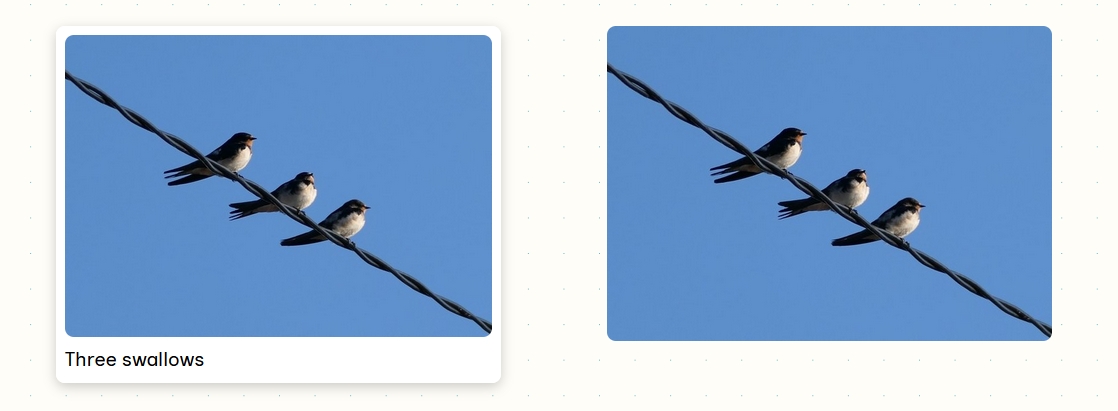
<figure>
    <img src="/images/thumb.jpg" alt="" />
    <figcaption>Three swallows</figcaption>
</figure>
<figure>
    <img src="/images/thumb.jpg" alt="Three swallows" />
</figure>
img {
border-radius: 8px;
}
figure:has(figcaption) {
padding: .5rem;
background-color: #fff;
box-shadow: 0 3px 10px 0 rgba(0, 0, 0, 0.2);
border-radius: 8px;
}If the figure element contains a caption (figcaption) it becomes a padding, a white background and a box-shadow. A figure without caption displays only the image with rounded corners.
.grid {
    display: grid;
    grid-template-columns: 1fr 1fr 1fr;
    gap: 1rem;
    margin-bottom: 1rem;
}
.grid:has(> :last-child:nth-child(2)) {
    grid-template-columns: 1fr 1fr;
}
In this example you have a grid with three columns (it can be a blog layout or the articles module). If you publish only two articles, the grid will still display three columns. Using :has() you can query the number of items inside the grid and change the number of columns.
Styling depending on the sibling
h2:has(+ p) {
    border-block-end: 2px solid crimson;
}
This rule styles all <h2> elements which are immediately followed by a <p>.
Combine with :not()
div:has(:not(h2, h3)) {
 background-color: lightblue;
}
Any <div> that contains anything that is not an <h2> or an <h3> becomes a light blue background.
div:not(:has(.featured)) {
 background-color: #ff7e5f;
}
This rule styles any <div> that doesn’t contain an element with the class .featured.
Conclusion
:has() is a very powerful pseudo-class that brings your CSS styling into a new level. For more explanations and examples, please check the links below.

Comments