 Community Magazine

I’m excited to introduce the Advanced Migration Tool - a Joomla component that helps migrate WordPress content into Joomla - and to share what I learned building it as part of the Joomla Academy.
Many site owners want to move to Joomla but are held back by the time and risk involved in manual migrations. The Advanced Migration Tool provides a plugin-based, extensible framework to import posts, users, media and metadata from other CMSs (starting with WordPress), reducing friction for adopters and enabling agencies and hobbyists to migrate with ease. Building this addressed a real barrier to entry for Joomla and helped me focus my work on practical, community-led impact.
When I first wrote about the Advanced Migration Tool in June 2025 I described a plugin-based Joomla component that could import content from other CMSs (starting with WordPress) into Joomla by transforming source data into a schema Joomla understands. That early post covered the project goals and how the plugin architecture would make future CMS support straightforward.
Today - after weeks of mentorship, code reviews, tests, docs, and community feedback - I want to complete this chapter with a short record of the journey, the technical highlights, the lessons learned, and the next steps.
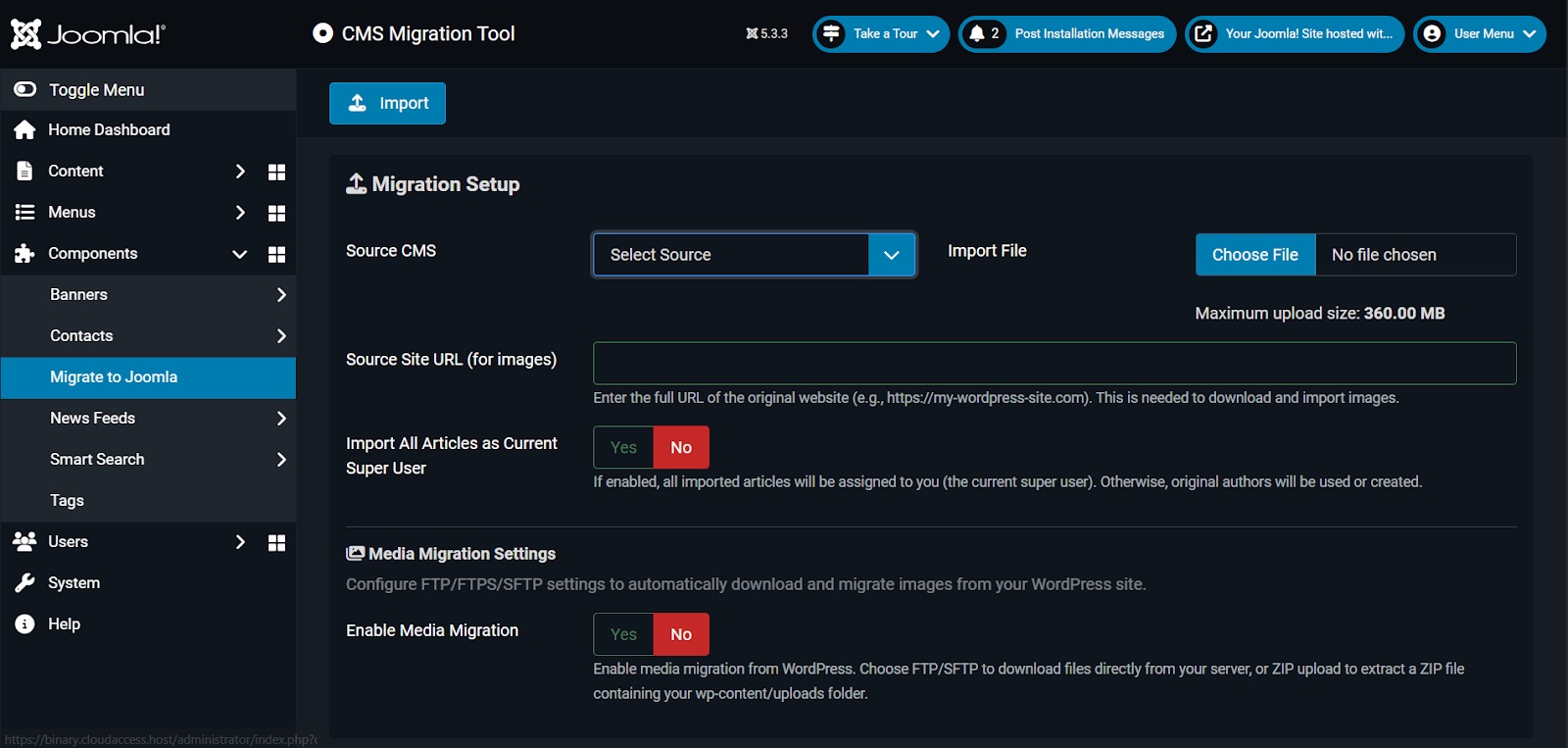 The Advanced Migration Tool interface - designed for simplicity and power
The Architecture: Building for Extensibility
One of the core decisions was to build a dual-path migration system that could handle both native export files (like WordPress WXR) and a standardized JSON format. This flexibility was crucial.
Method 1: Native Export Files
For users who prefer working with their CMS's standard export format, the tool accepts native files (like WordPress WXR/XML) and processes them through CMS-specific Joomla plugins.
Method 2: Universal JSON Export
For advanced users and future extensibility, I developed a standardized JSON-LD format. This meant creating export plugins for source CMSs (starting with WordPress) that generate consistent JSON exports, which Joomla can then import without platform-specific plugins.
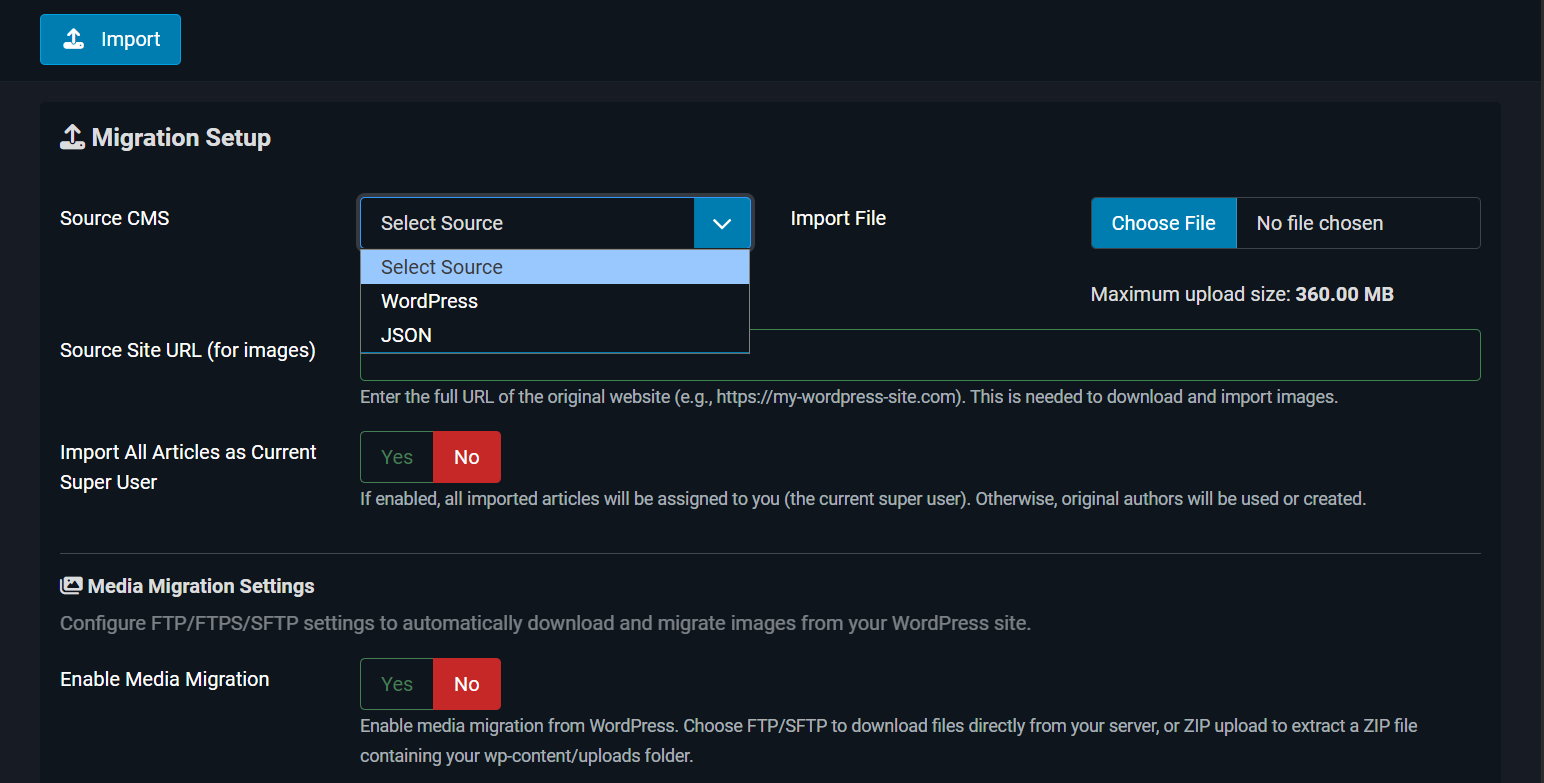
Selecting the migration method - flexibility at the core
This dual approach ensures the tool can grow with the community's needs while remaining accessible to non-technical users.
Technical Highlights: What Got Built
1. Complete Content Migration
The tool doesn't just import articles - it handles the full content ecosystem:
-
Articles & Pages with full HTML/formatting preservation
-
Categories & Tags with hierarchy maintenance
-
Users with role mapping
-
Custom Fields with data type preservation
-
Menus with structure and links
-
Media Files with multiple transfer methods (FTP/FTPS/SFTP/ZIP)
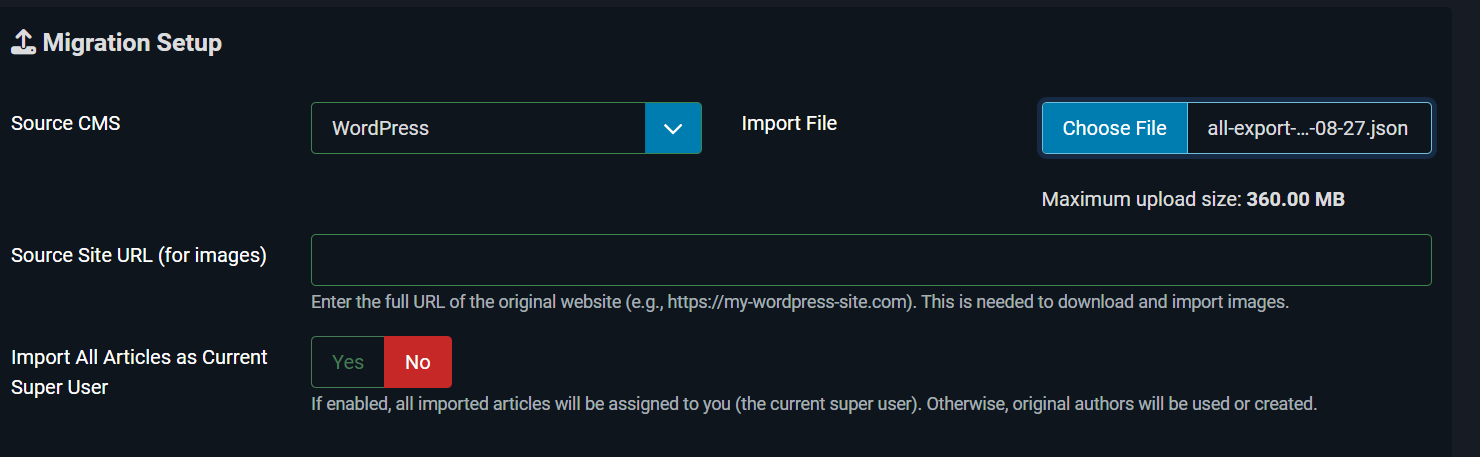
Simple file upload interface supporting multiple export formats
2. Smart Media Migration
Media migration was one of the trickiest challenges. I implemented four methods to accommodate different scenarios:
|
Method |
Use Case |
|---|---|
|
FTP/FTPS |
Live sites with FTP access |
|
SFTP |
Secure server environments |
|
ZIP Upload |
Offline migrations or restricted access |
|
Skip Media |
Content-only migrations |
The tool automatically rewrites URLs in content to point to the new Joomla media locations, ensuring images and files work immediately after import.
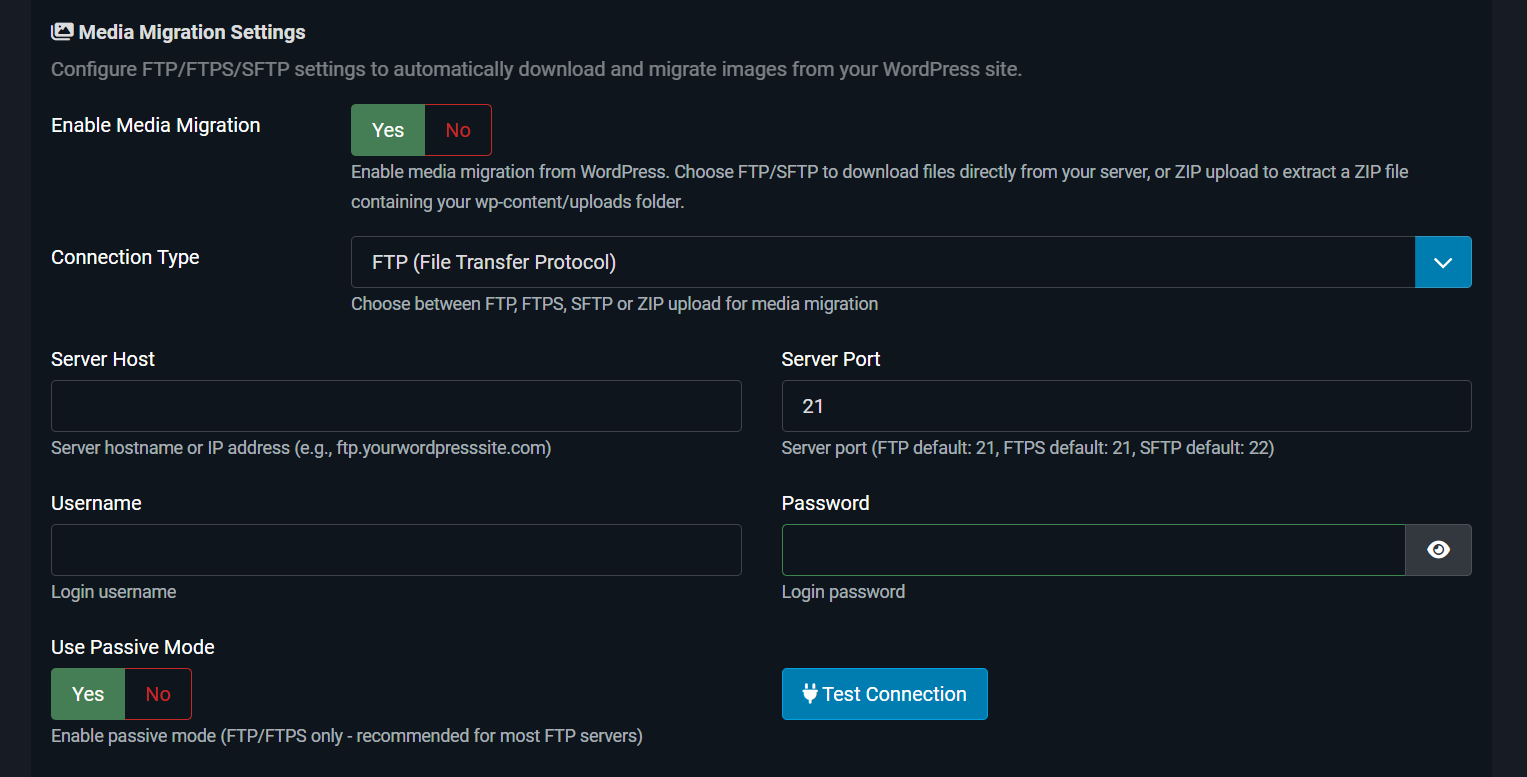
Flexible media migration options
3. Real-Time Progress & Logging
Migrations can take time, especially for large sites. I built a real-time progress tracker with detailed logging so users know exactly what's happening at every step.
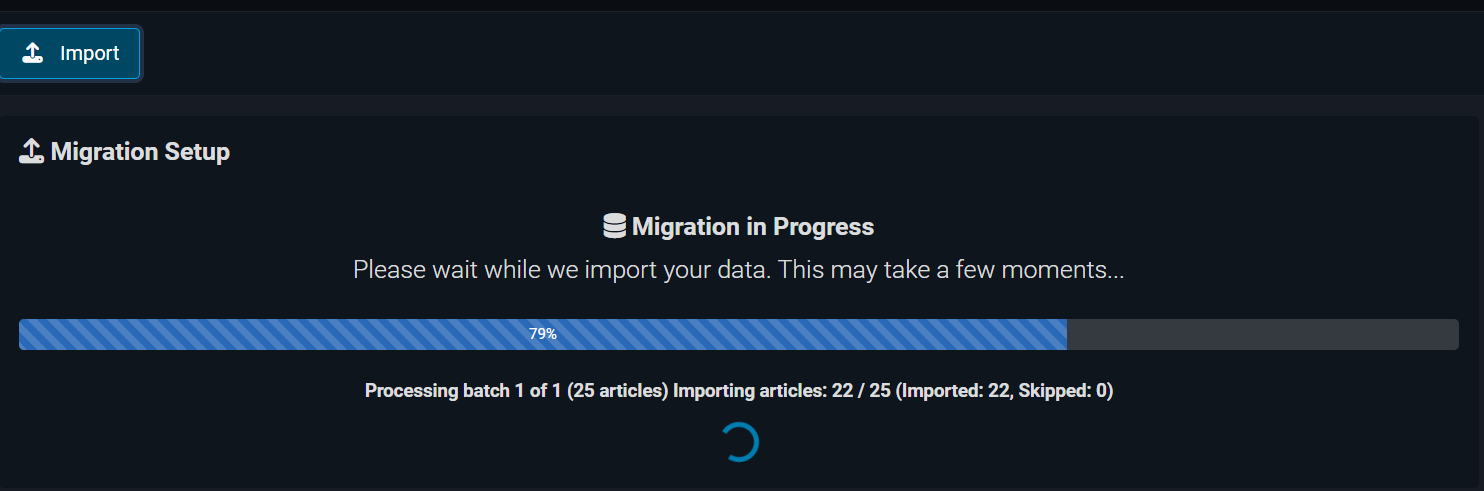
Real-time progress tracking with detailed operation logs
4. Plugin Architecture
The extensible plugin system means adding support for other CMSs (Drupal, Ghost, etc.) requires only creating a new migration plugin - the core component handles the rest.
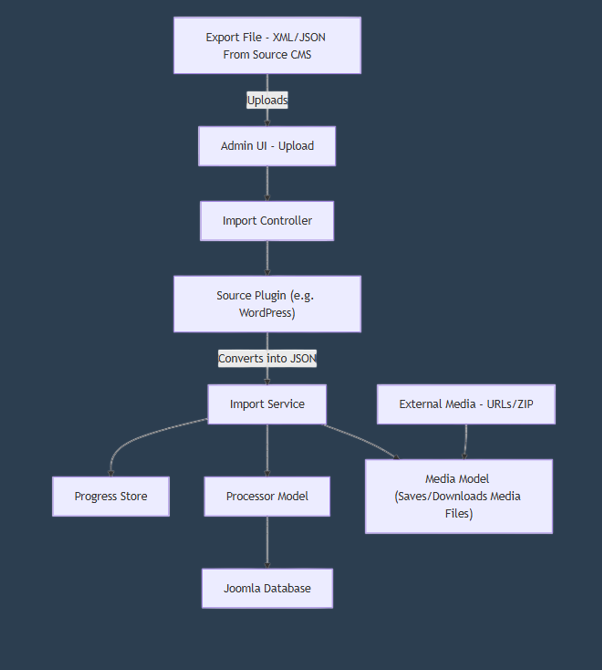
Event-driven plugin architecture diagram
Challenges & Solutions: What I Learned
Challenge 1: Handling Large Datasets
Early testing revealed memory issues with sites containing thousands of articles.
Solution: I implemented batch processing with configurable chunk sizes, allowing the tool to process large exports without hitting PHP memory limits. The tool also provides clear guidance on server optimization for large migrations.
Challenge 2: WordPress WXR Complexity
WordPress WXR files are XML-based but with quirks - nested CDATA sections, mixed namespaces, and inconsistent encoding.
Solution: Built an XML parser that handles edge cases and validates data at each step. Added extensive error handling and logging to help users troubleshoot problematic exports.
Challenge 3: Media URL Rewriting
Content contains media URLs in multiple formats (absolute, relative, protocol-relative), embedded in HTML, custom fields, and metadata.
Solution: Developed a comprehensive URL rewriting function using regex patterns to find and update all media references, regardless of format or location.
What I Learned: Beyond the Code
1. Community-Driven Development
Working within the Joomla ecosystem taught me the value of community feedback. Regular check-ins with mentors, code reviews from experienced developers, and testing by community members shaped the tool in ways I hadn't anticipated. Features like the dual migration path came from community suggestions.
2. Documentation is Development
I spent as much time on documentation as on code. Creating comprehensive user guides, developer docs, plugin development guides, and FAQ sections ensured the tool would be accessible and maintainable. The User Documentation became a resource I'm genuinely proud of.
3. Designing for the Non-Technical User
While I enjoy building complex systems, the real challenge was making them simple to use. Every UI decision was tested with the question: "Would a non-developer understand this?" The result is a tool that handles complexity under the hood while presenting a clean, intuitive interface.
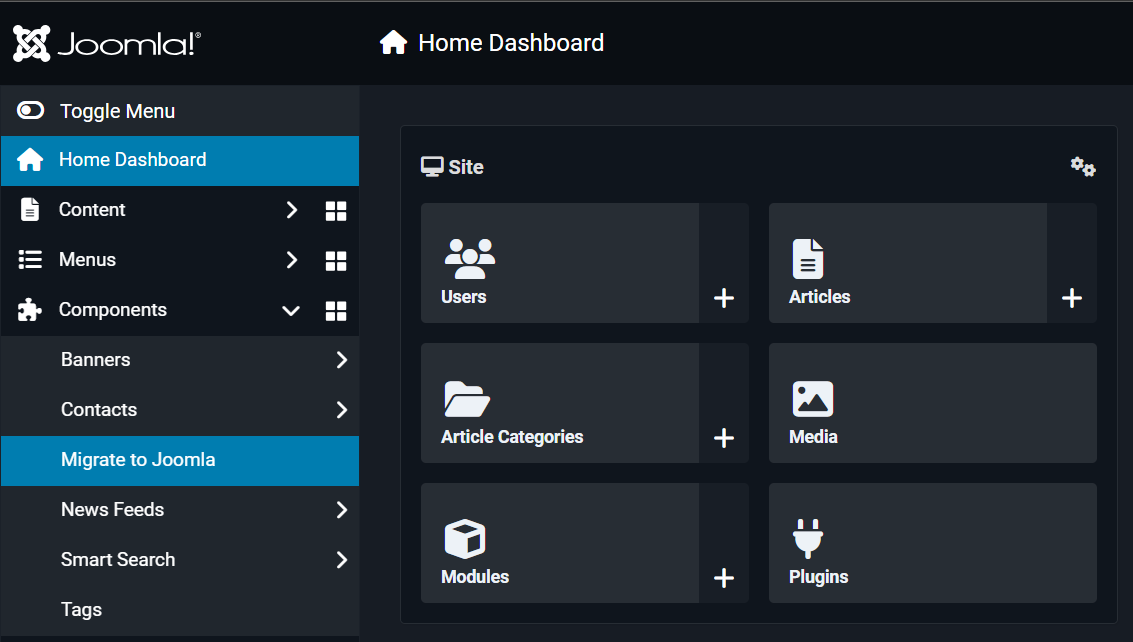
Successful installation verification
4. Testing, Testing, Testing
I developed comprehensive automated tests (unit, integration, and system tests) alongside manual testing procedures. Testing with real WordPress sites of varying sizes revealed issues I never would have caught otherwise. The testing documentation ensures future contributors can maintain quality standards.
5. Joomla's Modern Architecture
Building on Joomla 5 gave me deep insights into modern PHP development, dependency injection, event dispatching, and MVC architecture. The framework's flexibility enabled rapid development while maintaining best practices.
What's Next: Future Development
While the tool is feature-complete for WordPress migration, there's always room to grow:
Short-Term Goals
-
Support for additional WordPress plugins (WooCommerce, Advanced Custom Fields)
-
Enhanced custom field mapping with type conversion
-
Bulk migration dashboard for agencies managing multiple migrations
Long-Term Vision
-
Migration plugins for Drupal, Wix, and other popular CMSs
-
Optimize Migration Process
The foundation is solid, and I'm excited to see how the community builds on it.
Acknowledgments
This project wouldn't exist without the support of my mentors - Brian Mitchell, Gary Barclay, Shirielle Williams, Manu Beladevan, the Joomla community, and the Academy program organizers. Special thanks to everyone who provided code reviews, tested migrations, and offered suggestions that shaped the final product.
To the Joomla production leadership team: thank you for believing in this project and giving me the opportunity to contribute something meaningful to the ecosystem.
Try It Yourself
The Advanced Migration Tool is available now:
-
Download: GitHub Releases
-
Documentation: User Guide
-
Source Code: GitHub Repository
-
Report Issues: Issue Tracker
I'd love to hear your migration stories, receive feedback, or collaborate on future enhancements. The tool is open-source and community-driven - your contributions are welcome.
Closing Thoughts
Looking back at my Journey with Joomla Academy where we envisioned this tool, I'm grateful to have turned that vision into reality. The journey taught me as much about software development as it did about community collaboration, user empathy, and sustainable open-source practices.
The Advanced Migration Tool is more than code - it's a bridge for users wanting to experience what Joomla offers. If it helps even one person make the leap to Joomla with confidence, the effort was worth it.
Thank you for following this journey. And I will continue to build, learn, and contribute to the Joomla ecosystem in the years to come.
Parli Italiano? Read this article in Italian: https://www.joomlaitalia.it/guide-e-tutorial/traduzioni-joomla-magazine/introduzione-allo-strumento-di-migrazione-avanzata-il-mio-viaggio-dallidea-al-rilascio

Comments