 Community Magazine

Starting with Joomla 5.3, you can upload files to a dedicated files folder instead of the images folder. It may look like a small difference, but it is a big improvement in terms of usability and site structure.
Until now, by default Joomla had only the /images folder in the Media manager for upload. That meant: when you (or your users) wanted to upload PDF files or other documents, they would go into the images folder, or a subfolder in the images folder (for example: /images/files).
You could, of course, create a folder yourself for uploads, but you need a little geeky knowledge for that. So for regular site administrators or content managers, that’s not an option.
Usually people settle for creating a subfolder within /images, which is really easy. But then the path to the file would have /images in it somewhere (yourwebsite/images/files/yourfile), and that doesn’t feel right for everyone. An image is an image, and a code of conduct, terms of service or whatever other document is not. They’re files and it’s just not logical to place them in a folder called “images” even if that folder has a subfolder.
New files folder in Joomla 5.3
In Joomla 5.3, another folder is added so you can choose the destination folder for your files: /images or /files. You don’t have to configure anything for it, this works out of the box on new installations (for the techies: the plugin “FileSystem - Local” now has both folders configured by default).
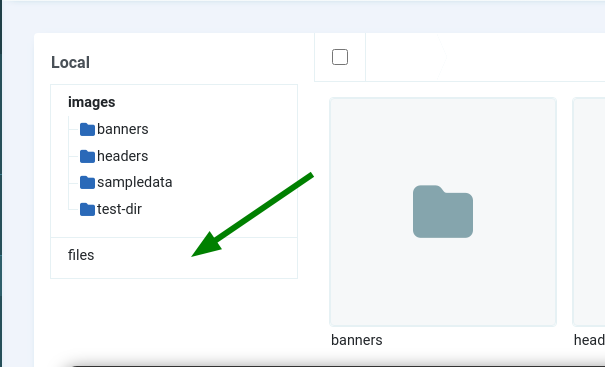
In the Media Manager, you’ll see the new folder.
Updating existing websites
You probably wonder if this only applies to new 5.3 installations or if it can be used on updated sites as well. Existing installations will also have the new folder, with no files in it yet. If you want to use it, take the following steps after updating to Joomla 5.3:
In the Media component, set Path to Files Folder option to files;
Go to System -> Plugins and find the FileSystem - Local plugin. Add files to the list of directories (images is already there).
And that’s it: now you can use the files folder to upload your files.

Comments