Shining up your website with five stunning and free Joomla photo galleries
"A picture is worth a thousand words". In the online world, this adage is still correct. Your website will look more lively and stunning if there is a photo gallery. Yes, photos not only help you share your world with website visitors but they also help you convey your ideas.
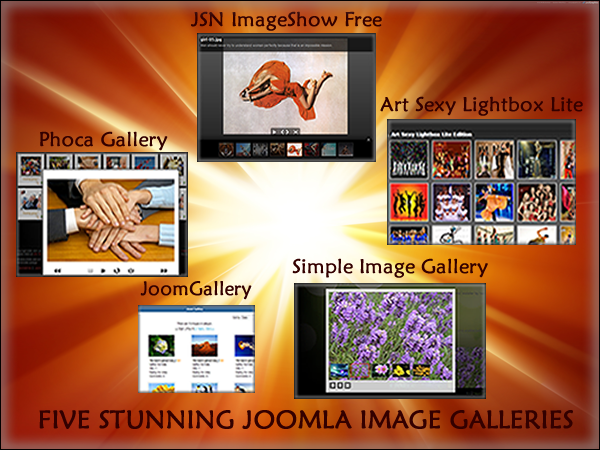
If you use Joomla, the Joomla Directory Extensions (JED) must be one of the first resources you visit to choose your photo gallery. But with 50+ photo flash galleries and 80+ photo galleries, you cannot pick the most suitable image gallery quickly, right? That's why I am so happy to announce that I've chosen and made a review of five stunning Joomla photos galleries. I hope that it will save you time in your website building process.
Please note that all the free image galleries below are under GPL license.
Review
Criteria
From my point of view, a good Joomla image gallery has:
- Stable quality: All functions work normally, all the time.
- Simple usage: I can upload multiple images at one time; create photo galleries in just a few steps and so on.
- Extensible ability: It allows me to connect with other photo resources such as Picasa, Flickr, etc.
- Some third-party extensions supported such as VirtueMart, JoomFish, sh404SEF and so on.
- Some stunning image presentation effects and essential photo customization such as rotation, cropping, etc.
- Multiple presentations: Photos can be presented in menus, modules and inside articles.
- Unlimited image upload: I can upload and present as many images as I want.
- Some other useful features such as allowing visitors to leave comments, create user-generated galleries or add Geotagging support so that I can display Google Map with images and so on.
General review
|
Gallery name |
Joomla supported |
PROs |
CONs |
|
Simple Image Gallery |
1.5, 1.6, 1.7 |
- Simple usage. |
- Gallery can be presented inside articles only. |
|
JSN ImageShow Free |
1.5, 1.6, 1.7 |
- Extensibility ability: Phoca Gallery, Joom Gallery, Picasa and Flickr. |
- Limited image uploads and presentation: 3 image categories (showlist) 3 image presentations (showcase). |
|
Phoca Gallery |
1.5, 1.6, 1.7 |
Rich features such as unlimited image upload or allowing visitors to make comments on images and galleries. |
- No extensible ability to connect with other photo resources. |
|
JoomGallery |
1.5, 1.7 |
- Rich features with a lot of additional modules, plugins, extensions and languages. |
- No extensible ability to connect with other photo resources. |
|
Art Sexy Lightbox Lite |
1.5, 1.6, 1.7 |
- Simple usage. |
- No extensible ability to connect with other photo resources. |
Detailed reviews
Simple Image Gallery
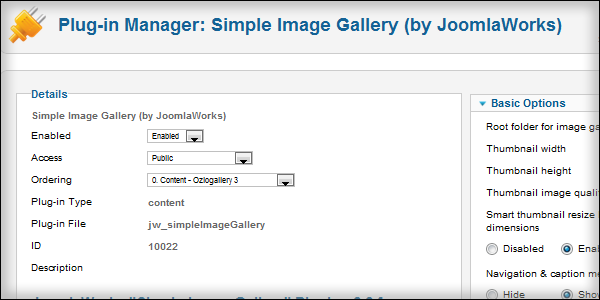
Simple Image Gallery must be a familiar name to Joomla users. This extension is the perfect choice if you want to present some image galleries inside articles in the simplest way, with no additional gallery component or message saying "Click here to check out our photos". All images will be displayed as thumbnail images with an adjustable size. When visitors click on the thumbnail image, a popup of the image in its original size is shown.
How to use it? You just need to upload your images to Media Manager in the back end of your Joomla website, with a code line {gallery }your gallery folder name{/ gallery} inserted into your article, and the gallery will be displayed. Some parameters can be set in the back end of Simple Image Gallery in Plugin Manager.
Who should use it? People who just need to present some image galleries inside articles without spending much time on administering the images, using special effects or providing user-generated galleries. It is suitable for you if want to illustrate your articles with images.
Download - Demo - Documentation
JSN ImageShow Free
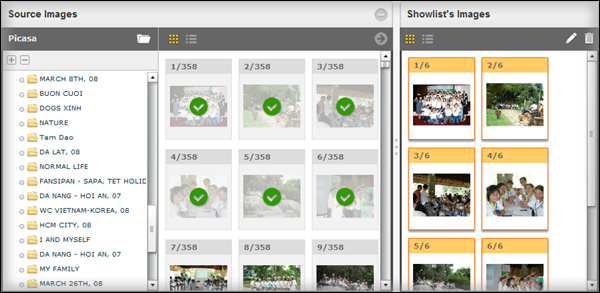
There are a lot of surprises for you are hidden in JSN ImageShow Free - The photo flash gallery comes with a humble and simple name.
From my point of view, the most outstanding feature of JSN ImageShow Free is its extensible ability: You can present images from popular galleries such as Phoca Gallery, JoomGallery, Flickr and Picasa on it quickly.
No more worries about uploading images to the Joomla backend. Besides, its 60+ parameters give you various choices to create your own image gallery. If your visitors use browsers that don't support flash, an alternative content of JSN ImageShow Free will be automatically displayed. No more limitations with iPhone or iPad users. Interesting, right?
How to use it? You install Sample data to use its dummy data and learn JSN ImageShow Free quickly. Or you can create your own showlists and showcases to present images yourself.
Who should use it? Photographers, Joomla users who want to display galleries with stunning effects and rich features.
Download - Demo - Documentation
Phoca Gallery
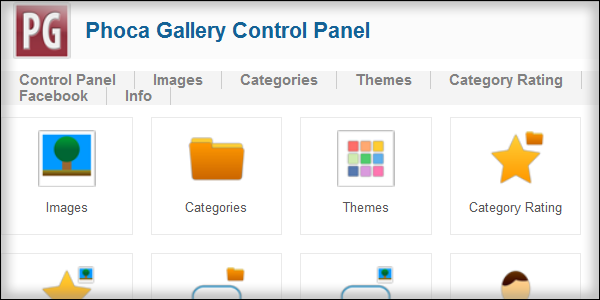
You might not be a stranger to Phoca gallery if you have used Joomla for a while. Yes, it is a popular extension thanks to its rich features.
Phoca gallery doesn't limit users to images uploaded in the Joomla backend only. People can upload images from front end. Moreover, it strengthens your relationship between you and your website visitors by allowing them to make comments on images and categories. You can also create unlimited categories and set access rights for each category. What's more, you can display Google Maps with images or categories with Geotagging support, and display Youtube video with the Youtube support feature.
Even though it comes with many features, Joomla users who don't often use English can still use it easily thanks to its support for 40+ languages.
How to use it? You install Phoca Gallery with some additional components. Then you create categories and add images to them. After that you can discover other features and present them via a menu, a module or inside an article.
Who should use it? Photographers, Joomla users who want to display multiple galleries with rich features.
Download - Demo - Documentation
JoomGallery
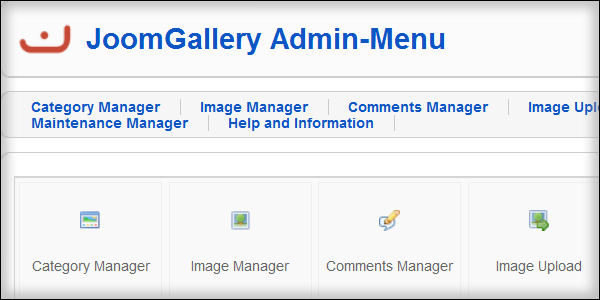
JoomGallery is an outstanding candidate for the photo gallery position on your website.
It helps you create nice image galleries, whether you are a basic, intermediate, or advanced Joomla user.
Intermediate and advanced Joomla users can utilize this extension the most since it provides you with a lot of useful features. Beside one main component, you can also use seven other modules, 19 plugins, four extensionsand 35+ languages. So, even though there are many people who use JoomGallery, you can still create a gallery which is different from others.
However, JoomGallery doesn't get basic Joomla users confused. It is very easy to use its main component. There are also detailed guidelines that help you present your galleries quickly right after the installation. They also provide a Quick-Start guide to get you started in a few steps.
This extension allows users upload images from both the back-end and front-end, present images by category, details or gallery view and so on. You can let your website visitors make comments on pictures as well.
A pop-up of the original image appears when you click on the thumbnail.
How to use it? You install JoomGallery with some additional components. Then you create categories and add images to them. After that you can discover other features and present them via a menu, a module or inside an article.
Who should use it? Photographers, Joomla users who need to display multiple galleries with rich features.
Download - Demo - Documentation
Art Sexy Lightbox Lite
The fact that Art Sexy Lightbox Lite is rated 4.79/5 with 70+ reviews in Photo Gallery section on JED may stimulate you to try it out. According to the feature list, this extension sounds very good with a long list of functions.
Images are present as a photo album; and if you click the image, there will be a popup show the full gallery.
Art Sexy Lightbox Lite brings you some nice features: You can present your images with 6 simple themes, some effects such as show effect, move effect and so on. You can also crop, rotate images or create alt tag for them.
And you will like it because it allows you to create multiple image galleries.
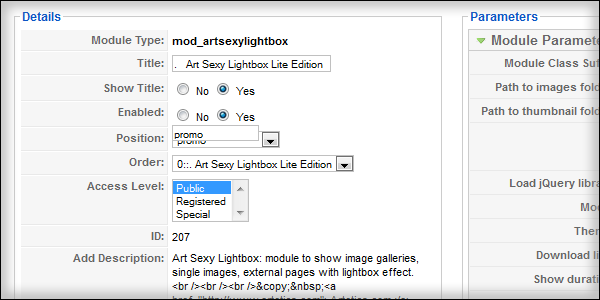
How to use it? With only one installation file, you can install and use with Joomla 1.5, 1.6 and 1.7. After that, there will be an Art Sexy Lightbox Lite module in the Module Manager section and you can start to create your gallery. It provides you with several customization parameters.
Who should use it? Joomla users who want to present some images galleries with effects via modules.
In conclusion
Testing photo galleries was an interesting experience since each one comes with its own unique features. If you haven't used any photo gallery, I hope this article can help you pick one. If you have used one, you might know more about other photo galleries. Whatever you have or haven't used, please feel free to leave your comments on your thoughts and experiences below.
About the author

By accepting you will be accessing a service provided by a third-party external to https://magazine.joomla.org/
Comments